Links between Fulfillment Module and Other Modules
This document showcases the module links defined between the Fulfillment Module and other Commerce Modules.
Summary#
The Fulfillment Module has the following links to other modules:
First Data Model | Second Data Model | Type | Description |
|---|---|---|---|
Read-only - has one | |||
Read-only - has one | |||
Stored - one-to-many | |||
Stored - one-to-many | |||
Stored - many-to-one | |||
Stored - many-to-one | |||
Stored - one-to-many | |||
Stored - one-to-many |
Cart Module#
Medusa defines a read-only link between the ShippingMethod data model of the Cart Module and the ShippingOption data model. This means you can retrieve the details of a shipping method's shipping option, but you don't manage the links in a pivot table in the database. The shipping option of a shipping method is determined by the shipping_option_id property of the ShippingMethod data model.
This link allows you to retrieve the shipping option that a shipping method was created from.
Retrieve with Query#
To retrieve the shipping option of a shipping method with Query, pass in :
Order Module#
Link to Orders and Returns#
The Order Module provides order-management functionalities.
Medusa defines a link between the Fulfillment and Order data models. A fulfillment is created for an orders' items.
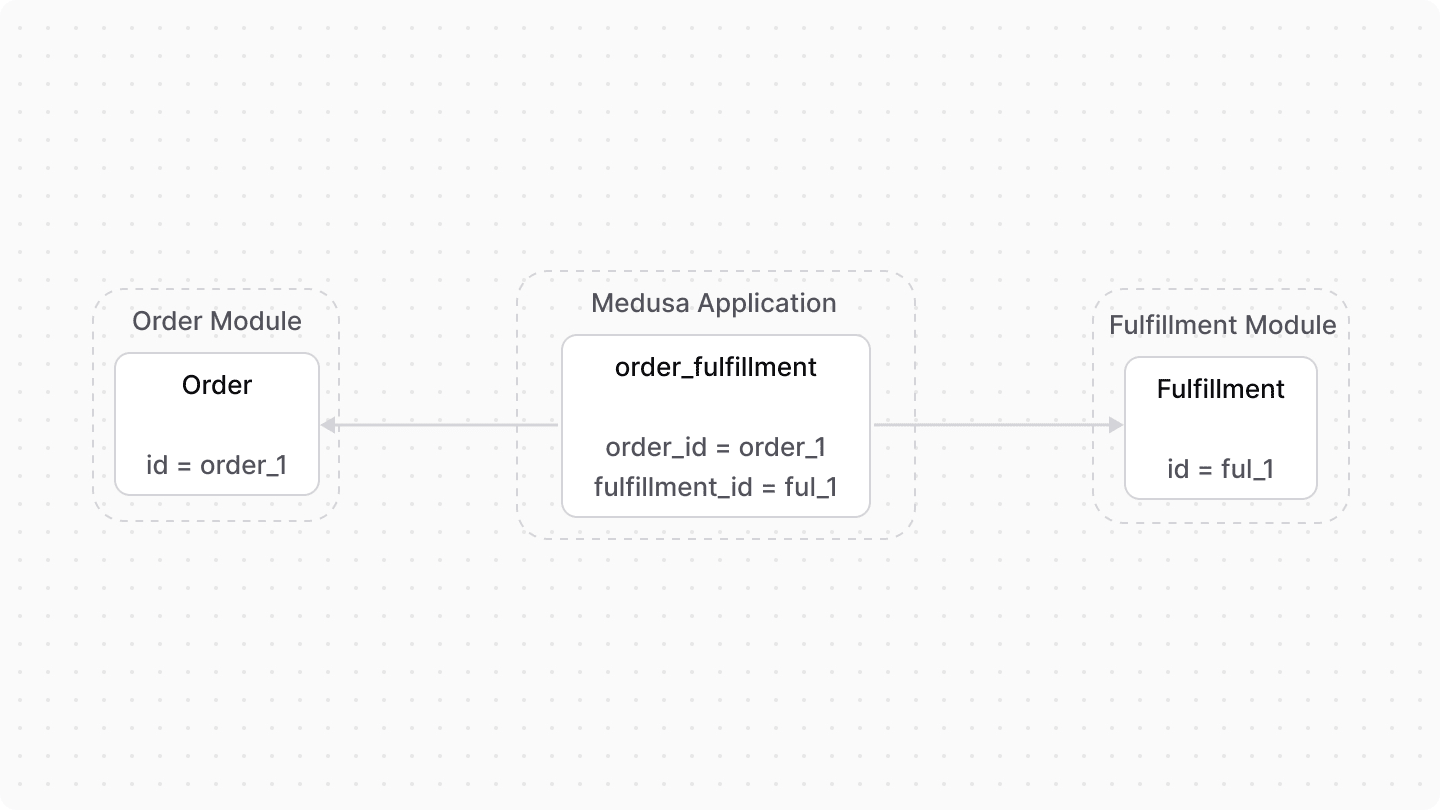
A fulfillment is also created for a return's items. So, Medusa defines a link between the Fulfillment and Return data models.

Retrieve with Query
To retrieve the order of a fulfillment with Query, pass order.* in fields:
return.* in fields.Manage with Link
To manage the order of a cart, use Link:
Link to Order Shipping Methods#
Medusa defines a read-only link between the OrderShippingMethod data model of the Order Module and the ShippingOption data model. This means you can retrieve the details of an order shipping method's shipping option, but you don't manage the links in a pivot table in the database. The shipping option of an order shipping method is determined by the shipping_option_id property of the OrderShippingMethod data model.
This link allows you to retrieve the shipping option that an order's shipping method was created from.
Retrieve with Query
To retrieve the shipping option of an order shipping method with Query, pass shipping_option.* in fields:
Pricing Module#
The Pricing Module provides features to store, manage, and retrieve the best prices in a specified context.
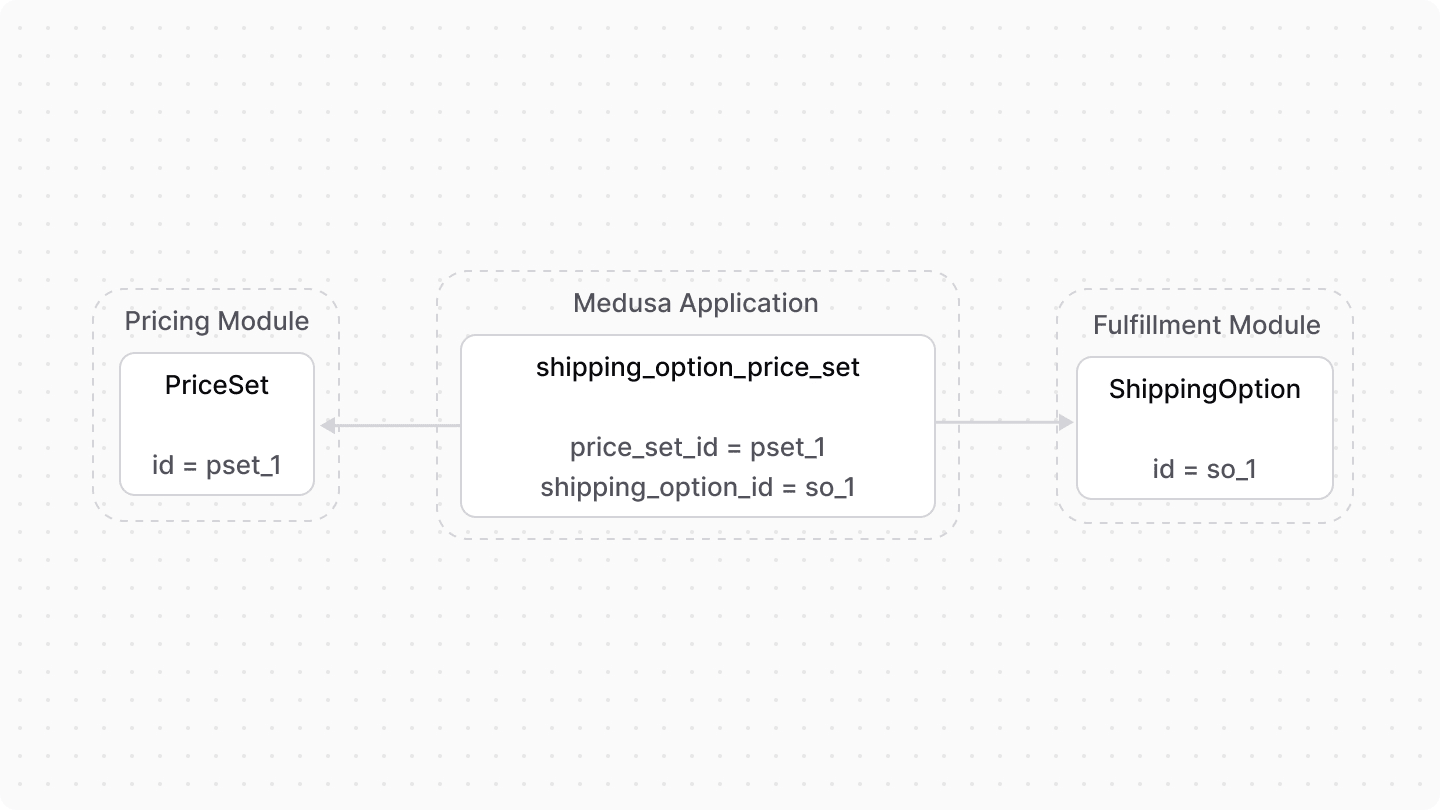
Medusa defines a link between the PriceSet and ShippingOption data models. A shipping option's price is stored as a price set.
Retrieve with Query#
To retrieve the price set of a shipping option with Query, pass price_set.* in fields:
Manage with Link
To manage the price set of a shipping option, use Link:
Product Module#
Medusa defines a link between the ShippingProfile data model and the Product data model of the Product Module. Each product must belong to a shipping profile.
Retrieve with Query#
To retrieve the products of a shipping profile with Query, pass products.* in fields:
Manage with Link#
To manage the shipping profile of a product, use Link:
Stock Location Module#
The Stock Location Module provides features to manage stock locations in a store.
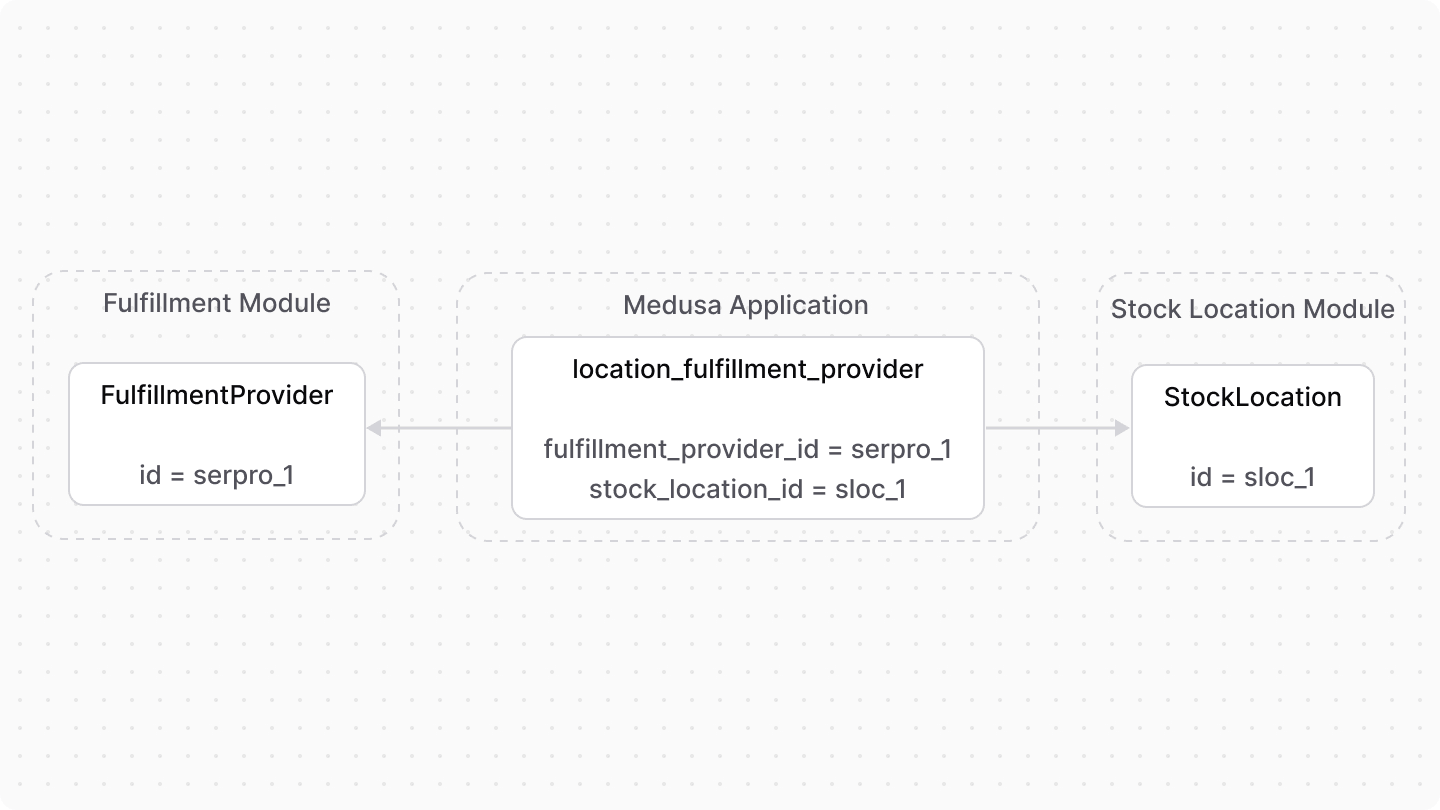
Medusa defines a link between the and data models. A fulfillment set can be conditioned to a specific stock location.

Medusa also defines a link between the FulfillmentProvider and StockLocation data models to indicate the providers that can be used in a location.
Retrieve with Query#
To retrieve the stock location of a fulfillment set with Query, pass location.* in fields:
locations.* in fields.Manage with Link#
To manage the stock location of a fulfillment set, use Link: