Two Column Layout - Admin Components
Archived: Medusa exports a
LayoutComposer component from the @medusajs/dashboard package since v2.21.0. Use it with the core:two-column layout instead of building your own layout, as explained in the LayoutComposer documentation. This guide is kept for reference only.In this guide, you'll learn how to create a layout component that matches the Medusa Admin's design conventions for pages with two columns of content.
The Medusa Admin has pages with two columns of content.
Note: This doesn't include the sidebar, only the main content.
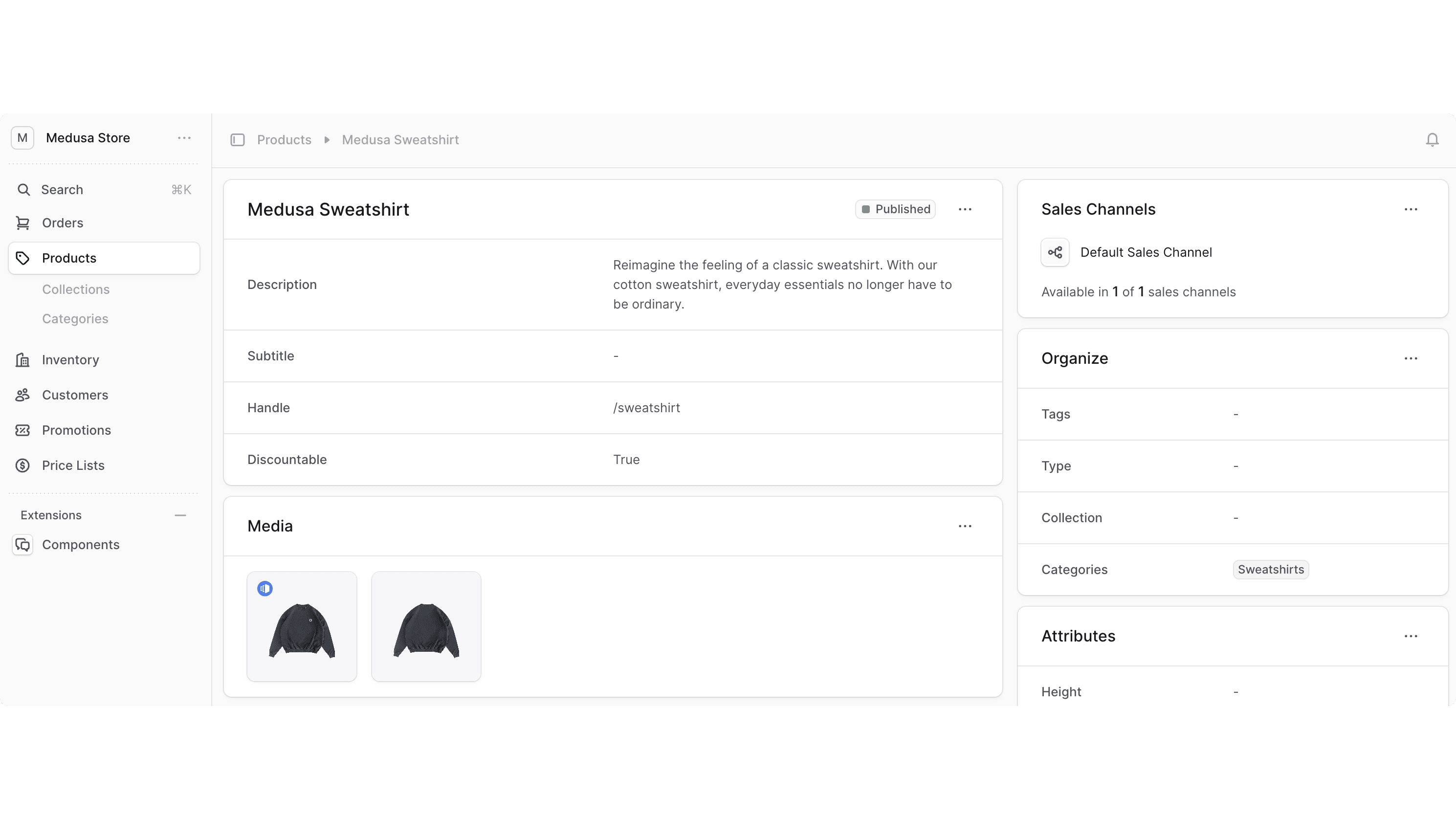
To create a layout that you can use in UI routes to support two columns of content, create the component src/admin/layouts/two-column.tsx with the following content:
1export type TwoColumnLayoutProps = {2 firstCol: React.ReactNode3 secondCol: React.ReactNode4}5 6export const TwoColumnLayout = ({ 7 firstCol,8 secondCol,9}: TwoColumnLayoutProps) => {10 return (11 <div className="flex flex-col gap-x-4 gap-y-3 xl:flex-row xl:items-start">12 <div className="flex w-full flex-col gap-y-3">13 {firstCol}14 </div>15 <div className="flex w-full max-w-[100%] flex-col gap-y-3 xl:mt-0 xl:max-w-[440px]">16 {secondCol}17 </div>18 </div>19 )20}
The TwoColumnLayout accepts two props:
firstColindicating the content of the first column.secondColindicating the content of the second column.
Example#
Use the TwoColumnLayout component in your UI routes that have two columns. For example:
1import { defineRouteConfig } from "@medusajs/admin-sdk"2import { ChatBubbleLeftRight } from "@medusajs/icons"3import { Container } from "../../components/container"4import { Header } from "../../components/header"5import { TwoColumnLayout } from "../../layouts/two-column"6 7const CustomPage = () => {8 return (9 <TwoColumnLayout10 firstCol={11 <Container>12 <Header title="First Column" />13 </Container>14 }15 secondCol={16 <Container>17 <Header title="Second Column" />18 </Container>19 }20 />21 )22}23 24export const config = defineRouteConfig({25 label: "Custom",26 icon: ChatBubbleLeftRight,27})28 29export default CustomPage
This UI route also uses Container and Header custom components.
Was this page helpful?