# Environments
In this guide, you'll learn about environments, how to create and manage them, and how to use preview environments.
## Environments Overview
A project can have multiple environments, each representing a different stage of your application. For example, you can have a Production environment for your live application, and a Staging environment for testing new features.
Each environment has its own resources, such as a database and server instance. By default, a project has at least a Production environment, and you can create custom environments based on your development needs.
Environments are useful to test changes in production-like conditions before actually pushing them to production. You can test out new features, bug fixes, and integrations without affecting the live application.
### Environment Types
There are two types of environments:
- Long-lived environments: These are environments that you create for specific branches in your GitHub repository, such as Production or Staging environments.
- Short-lived [Preview environments](#preview-environments): These are environments automatically created for each pull request (PR) towards a branch that has a long-lived environment in Cloud. They're created as a preview for the PR, and are destroyed once the PR is merged or closed.
***
## View Project's Environments
To view a project's environments:
1. Make sure you're viewing the [correct organization's dashboard in Cloud](https://docs.medusajs.com/organizations#switch-organization).
2. Click on the project whose environments you want to view.
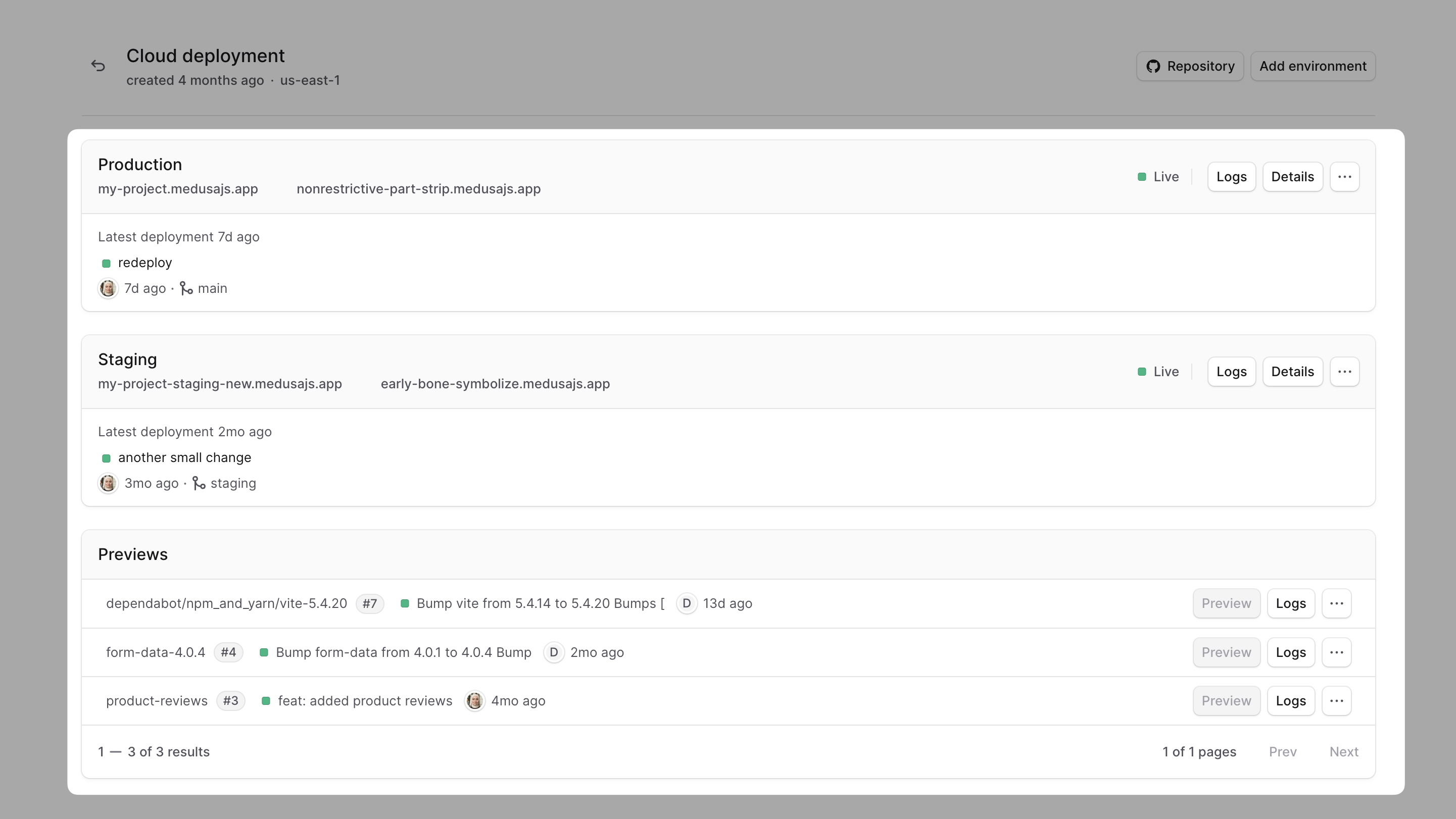
In the project's dashboard, you'll find a card for every environment in your project. For example, you may have Production, Staging, and Previews cards.
***
## Create a Long-Lived Environment
It's recommended to create long-lived environments for different stages of your project's development.
For example, you can create a Staging environment to test new features and updates before deploying them to Production. That way, you can test changes in a production-like environment without affecting the live application.
This section explains how to create a long-lived environment in Cloud.
### Prerequisites: Create Environment Branch
A long-lived environment is associated with a specific branch in your GitHub repository. So, before creating an environment, make sure you have the necessary branch for it in your repository.
For example, if you're creating a Staging environment, create and push a `staging` branch in your repository:
```bash
git checkout -b staging # create branch
git push origin staging # push branch to remote
```
### Steps to Create a Long-Lived Environment
To create a long-lived environment:
1. In the [project's dashboard](https://docs.medusajs.com/projects#open-project-dashboard), click on the "Add environment" button at the top right.
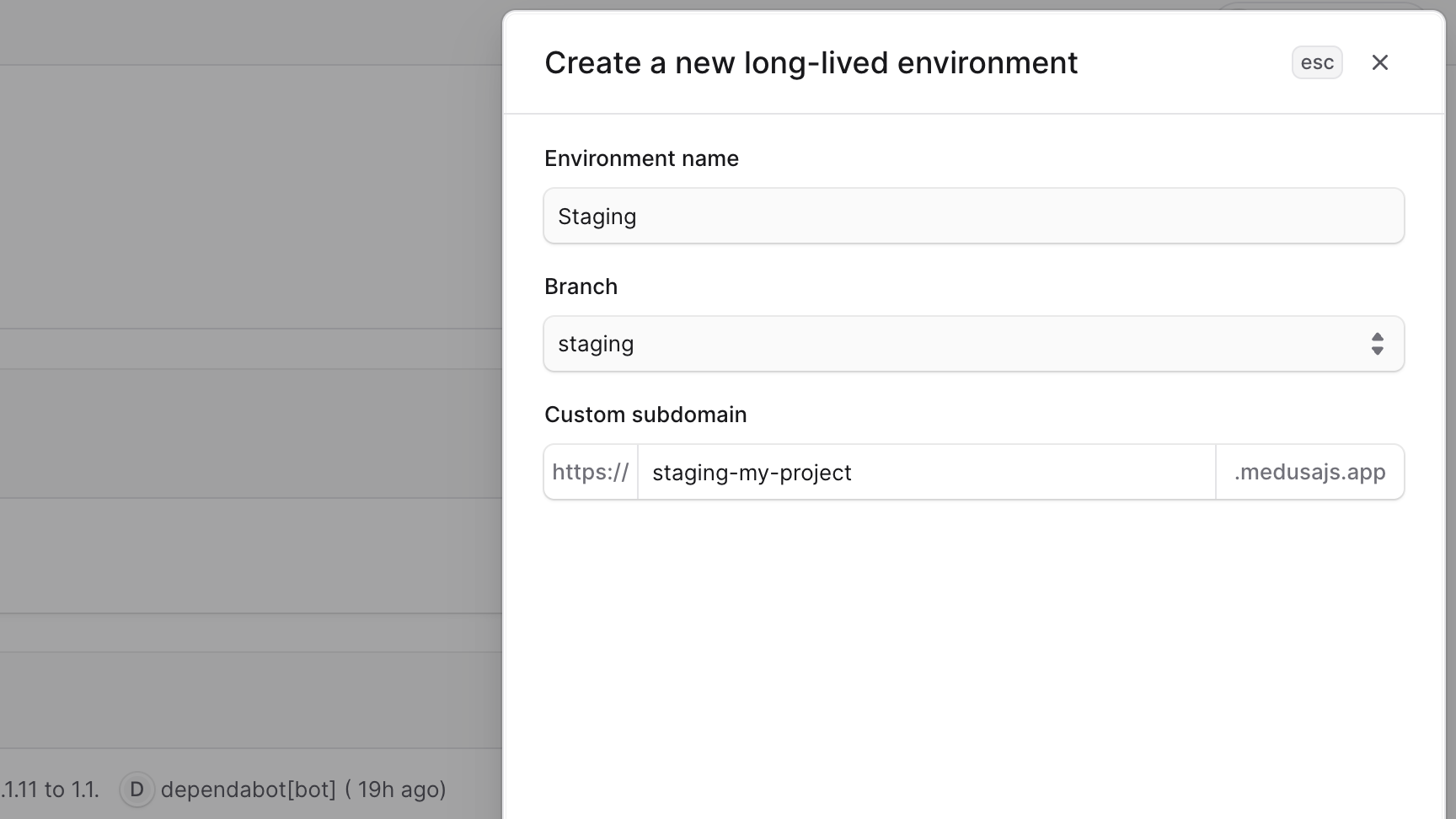
2. In the side window that opens:
- Enter the name of the environment. For example, `Staging`.
- Select the branch you want to associate with this environment. For example, `staging`.
- If you don't see the branch you want to use, refresh the page to load the latest branches from your repository.
- Set the custom subdomain for the environment. All environments are subdomains of `medusajs.app`. So, if you set the subdomain to `staging-my-project`, the environment's URL will be `staging-my-project.medusajs.app`.
3. Once you're done, click the "Create" button.
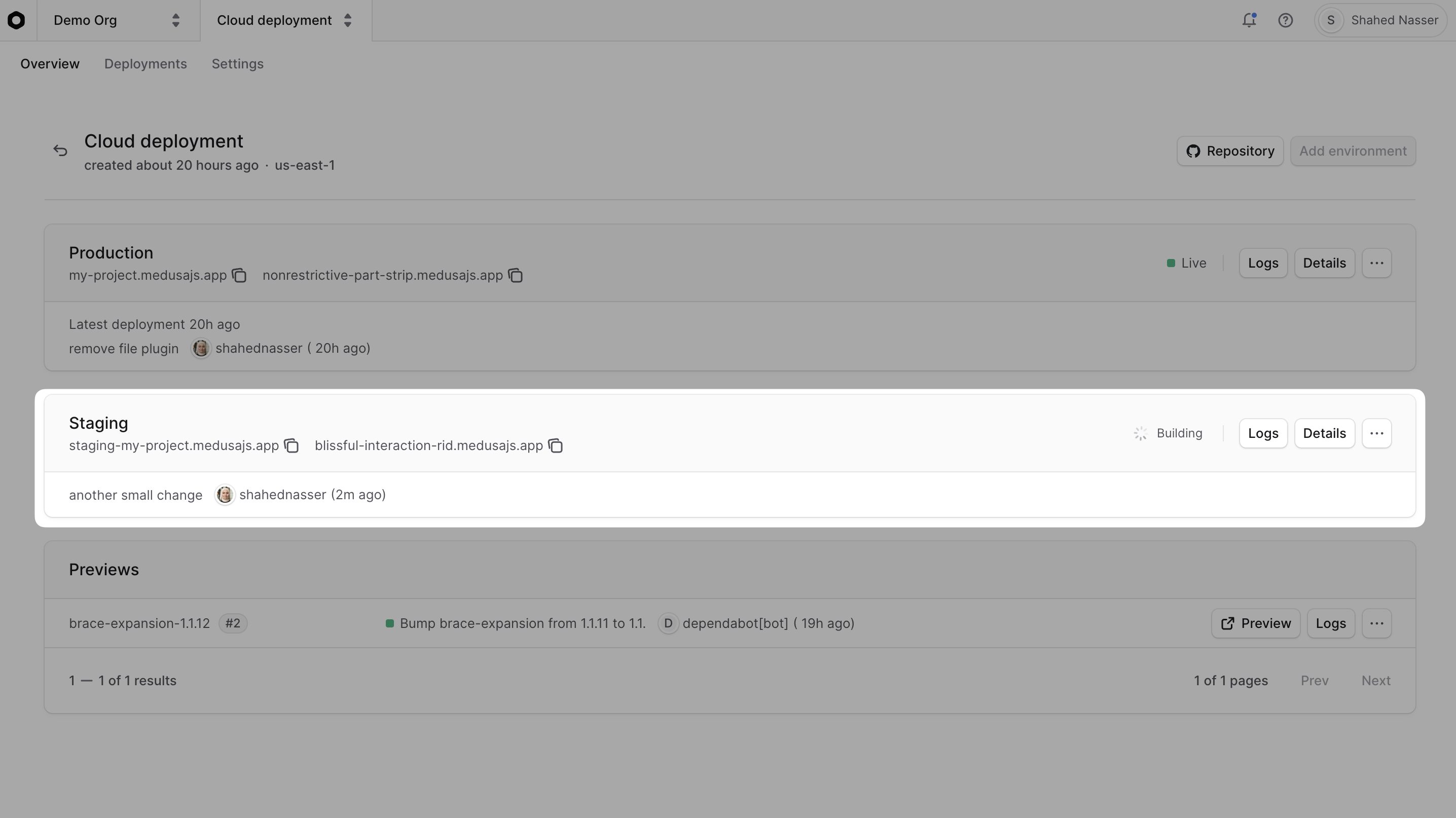
The created environment will appear in the [project's dashboard](https://docs.medusajs.com/projects) as a card.
### Trigger Environment Deployment
After creating the environment, you need to trigger its deployment by pushing a commit to the environment's branch (in this example, `staging`).
The first time you push a commit, Cloud will:
- Deploy the environment from the associated branch.
- Set up the database and resources for the environment. These are different from the resources of other environments.
After that, Cloud will automatically deploy the environment whenever you push a new commit to the associated branch.
### Create Medusa Admin User in Environment
After the environment is deployed, you need to set the email and password for the environment's Medusa Admin user.
To set the email and password for the admin user:
1. In the [project's dashboard](https://docs.medusajs.com/projects#open-project-dashboard), click on the environment you just created.
2. In the environment's dashboard, click on the "Settings" tab.
3. In the "Add new environment variables" section, add the following environment variables:
```shell
USER_INITIAL_EMAIL=admin@test.com
USER_INITIAL_PASSWORD=secret
```
You can paste the above variables directly in the Key field and both environment variables will be filled.
Make sure to replace the values with your desired email and password.
4. Click the "Save" button to save the environment variables.
### Redeploy Environment
After adding the environment variables, you need to redeploy the environment for the changes to take effect:
1. Go back to the environment's dashboard by clicking the "Overview" tab.
2. Click on the "Redeploy" button to redeploy the environment with the new environment variables.
This will redeploy the environment's live deployment with the new admin user credentials.
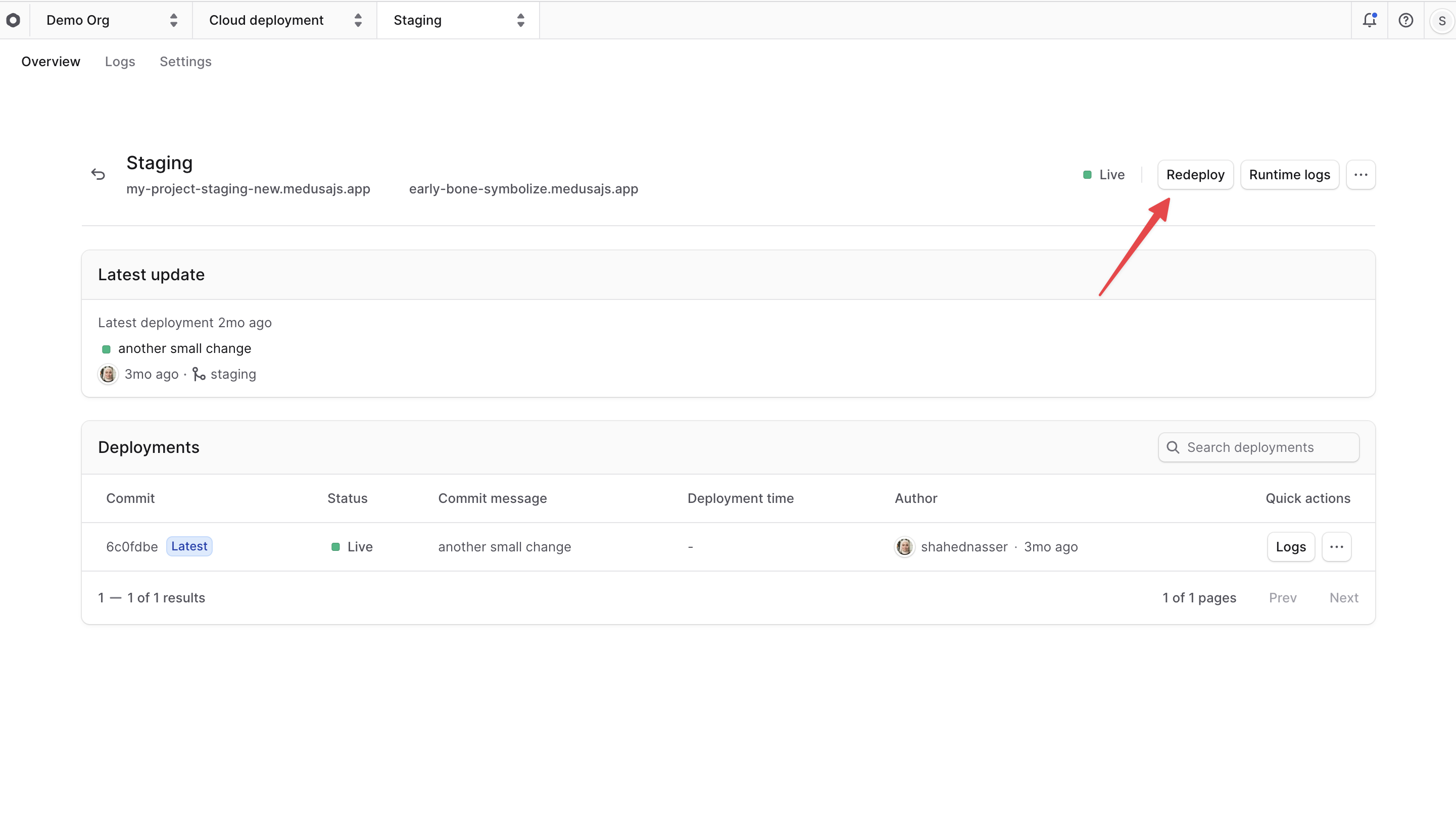
Then, wait for the deployment to finish. You can check its status in the "Deployments" section. Once it's deployed, you can [access the environment](#access-deployed-environment) using its URL.
***
## Access Deployed Environment
Once an environment is deployed, you can access it through its URL.
Learn more about how to access an environment's deployment in the [Deployments](https://docs.medusajs.com/deployments#access-live-deployment) guide.
***
## Open Environment Dashboard
On the environment's dashboard, you can view its details, logs, and settings. You can also manage the environment's variables, deployment rules, and database dump.
To open an environment's dashboard:
1. Make sure you're viewing the [correct organization's dashboard in Cloud](https://docs.medusajs.com/organizations#switch-organization).
2. Click on the project that contains the environment you want to view.
3. In the project's dashboard, click on the environment you want to view.
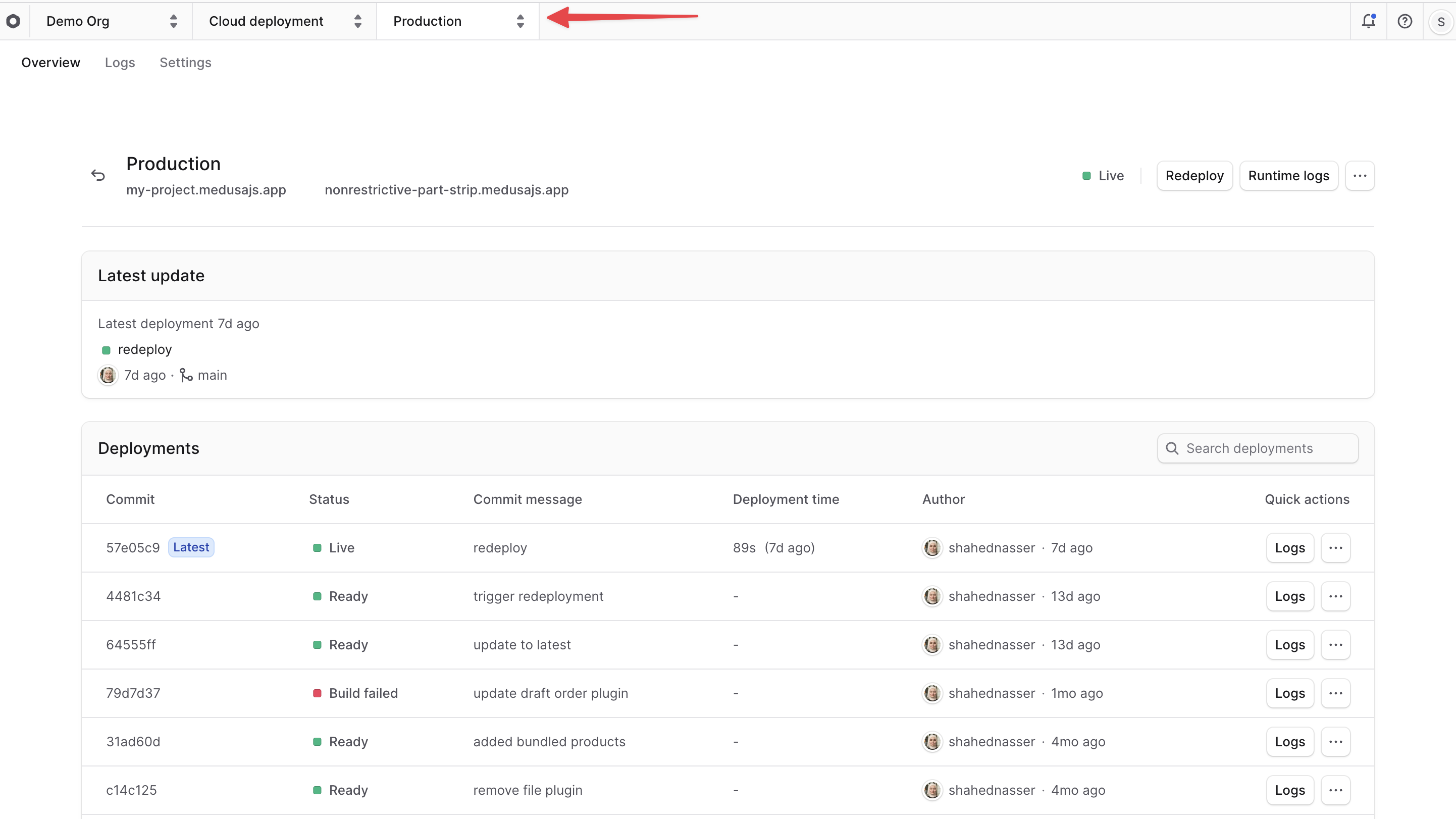
This will open the environment's dashboard. You can see the environment's name at the top of the Cloud dashboard.
### Find Environment Details
On the environment's dashboard, you can find the following details:
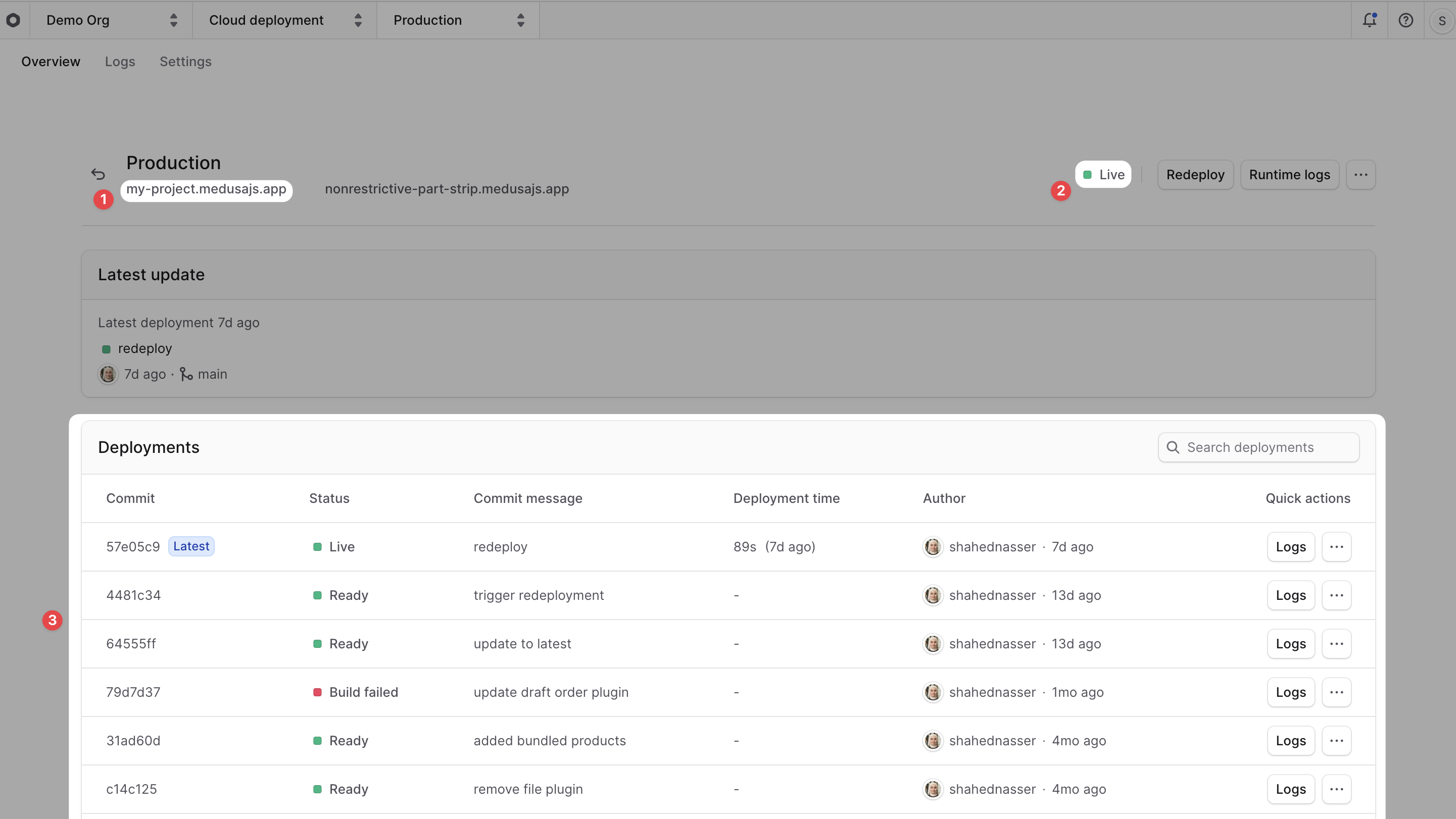
1. **Environment URL**: The URL to access the environment. You can find it below the environment's name.
2. **Environment Status**: The current status of the environment, such as "Live" or "Deploying". You can find it at the top right of the environment's dashboard.
3. **Environment Deployments**: The list of deployments for the environment, including the latest deployment. You can find it in the "Deployments" section of the environment's dashboard.
### Switch Environments
The environment's name at the top of the dashboard is also an environment switcher.
To switch to a different environment:
1. Click on the environment's name at the top of the Cloud dashboard, next to the project name.
2. Choose the environment you want to switch to from the dropdown.
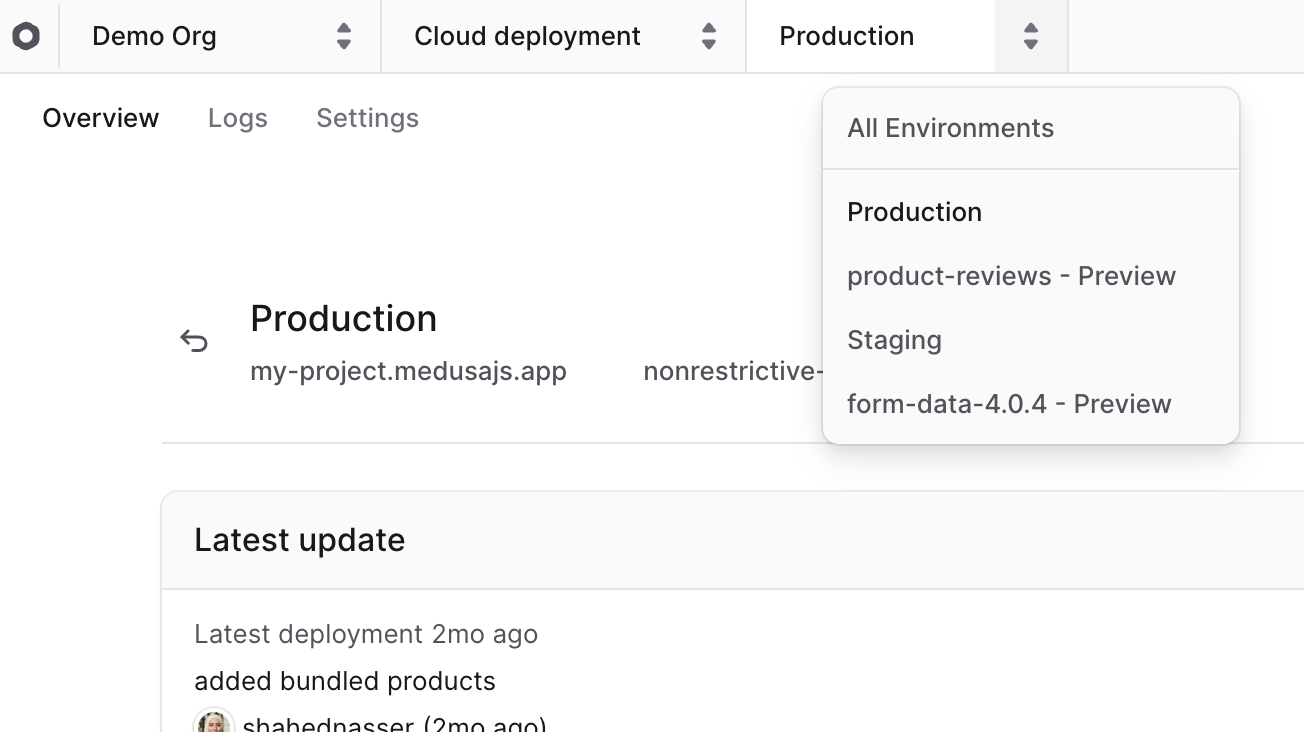
This will change the view to the selected environment, and you'll see its details, logs, and settings.
***
## View Environment Logs
You can view build and runtime logs for an environment in the "Logs" section of the environment's dashboard. These logs help you debug issues in your application.
Learn more in the [Logs guide](https://docs.medusajs.com/logs).
***
## Manage Environment Variables
In an environment's "Settings" tab, you can manage the environment's variables.
### Add Environment Variables
To add environment variables to an environment:
1. In the [environment's dashboard](#open-environment-dashboard), click on the "Settings" tab.
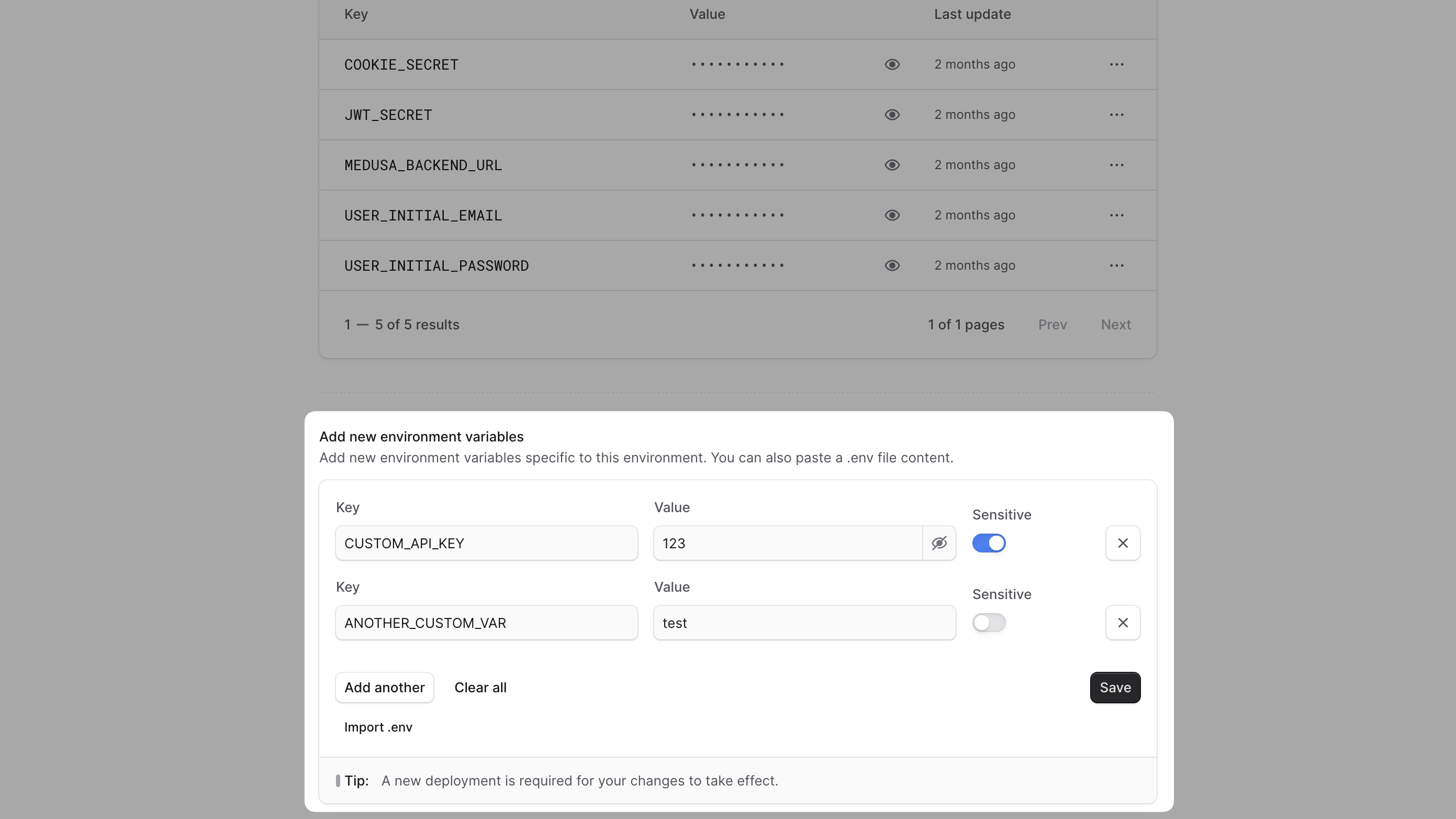
2. In the "Add new environment variables" section, there are different ways you can add environment variables:
- **Manually**:
- Enter the key and value of the environment variable in the respective fields.
- Click the "Add another" button to add another variable.
- **Paste `.env` format**:
- If you copied environment variables in a `.env` file format, you can paste them directly into the "Key" field. The environment variables will be pre-filled for you.
- **Import `.env` file**:
- If you have a `.env` file that defines your environment variables, click the "Import .env" button to upload the file. The environment variables will be automatically extracted and added to the list.
3. Once you're done, click the "Save" button to save the environment variables.
After adding the environment variables, you must [redeploy the environment](#redeploy-environment) for the changes to take effect.
### Edit Environment Variables
To edit an environment variable:
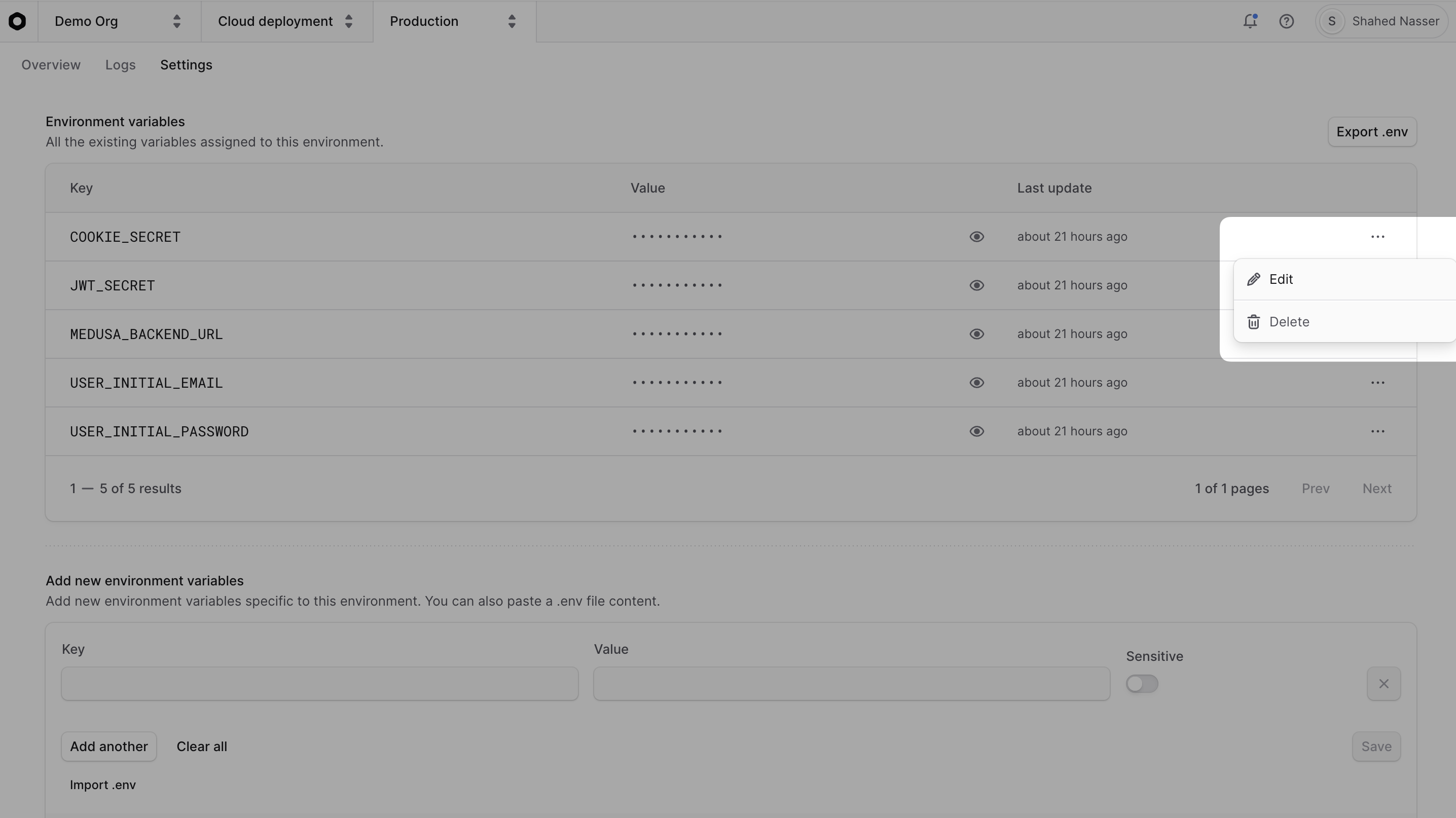
1. In the [environment's dashboard](#open-environment-dashboard), click on the "Settings" tab.
2. In the "Environment variables" section, find the variable you want to edit.
3. Click the icon at the variable's right side.
4. Choose "Edit" from the dropdown menu.
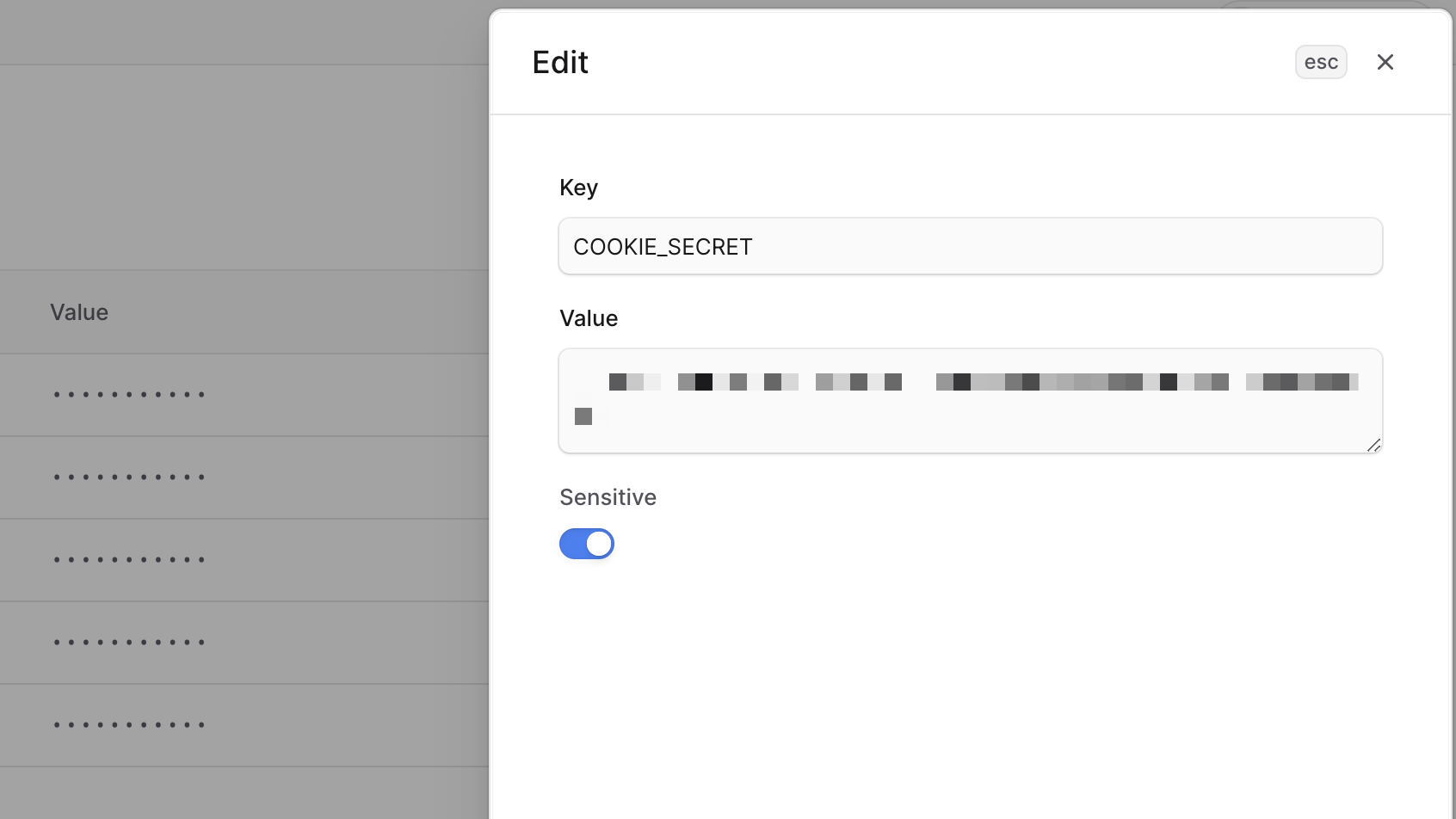
5. In the side window that opens, you can edit the variable's key, value, and whether it's sensitive.
6. Once you're done, click the "Save" button.
After editing the environment variable, you must [redeploy the environment](#redeploy-environment) for the changes to take effect.
### Delete Environment Variables
To delete an environment variable:
1. In the [environment's dashboard](#open-environment-dashboard), click on the "Settings" tab.
2. In the "Environment variables" section, find the variable you want to delete.
3. Click the icon at the variable's right side.
4. Choose "Delete" from the dropdown menu.
After deleting the environment variable, you must [redeploy the environment](#redeploy-environment) for the changes to take effect.

### Export Environment Variables
You can export an environment's variables as a `.env` file. This is useful for debugging issues that require you to have the same environment variables.
To export an environment's variables:
1. In the [environment's dashboard](#open-environment-dashboard), click on the "Settings" tab.
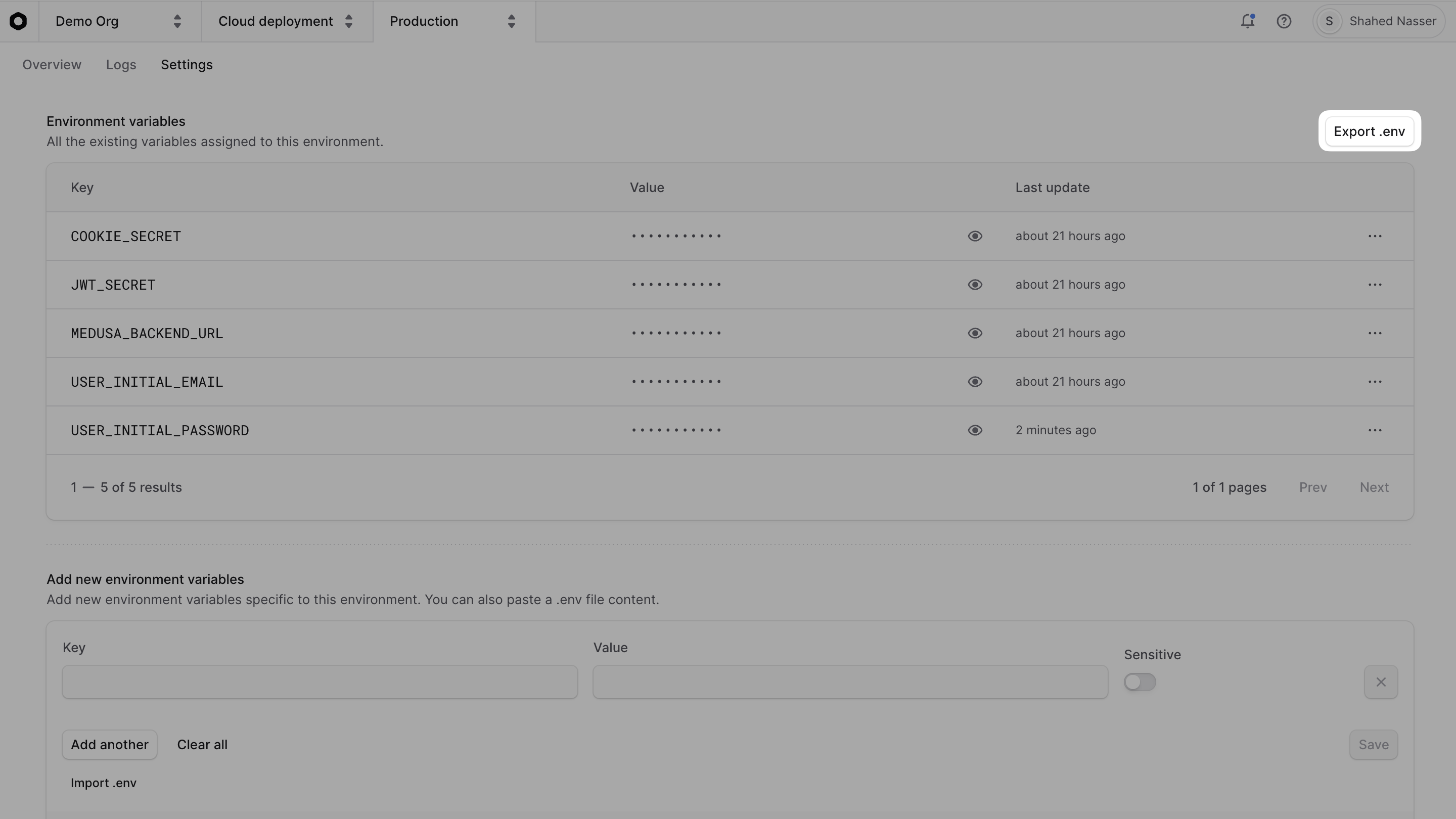
2. In the "Environment variables" section, click on the "Export .env" button at the top right of the section.
A file download will start with the name `env.txt`, which contains the environment variables in `.env` format.
You can rename the file to `.env` and use it in your local development.
***
## Change Environment's Branch
You can't change the branch of preview environments. This section only applies to long-lived environments, such as Production or Staging.
In an environment's "Settings" tab, you can manage the deployment rules for the environment. Deployment rules allow you to control how and when deployments are triggered for the environment.
To change the branch associated with an environment using deployment rules:
1. In the [environment's dashboard](#open-environment-dashboard), click on the "Settings" tab.
2. In the "Deployment rules" section, click the icon at the right side of the `branch` rule.
3. Choose "Edit" from the dropdown menu.
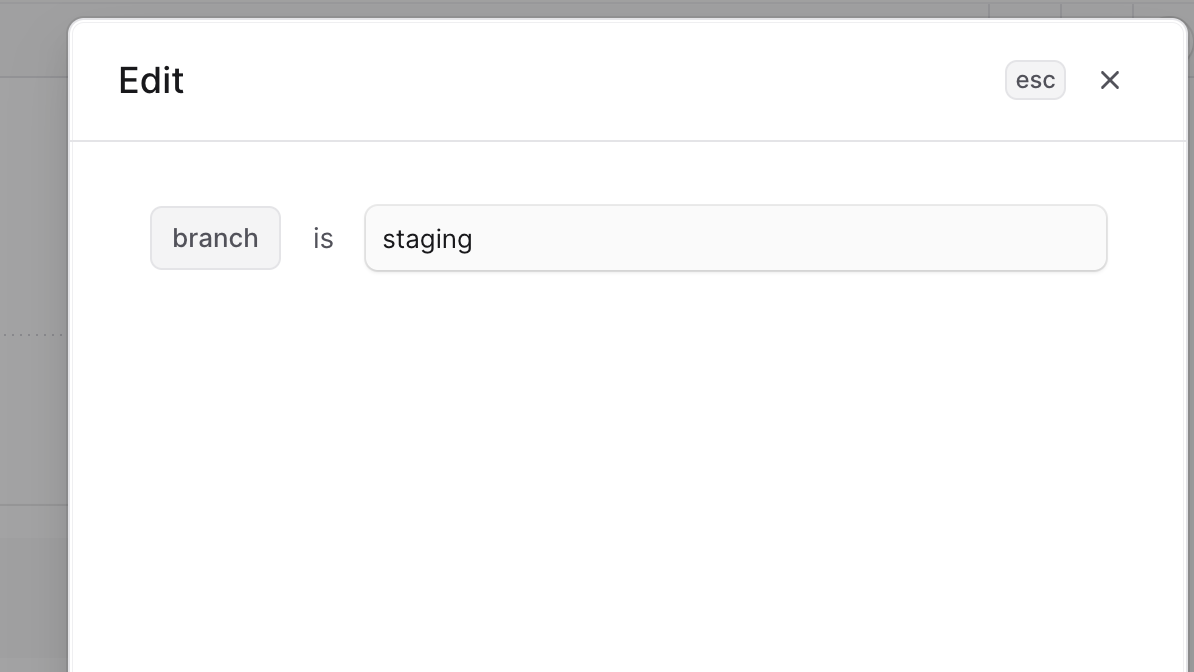
4. In the side window that opens, you can change the branch associated with the environment.
5. Once you're done, click the "Save" button.
Changes will take effect the next time you push a commit to the new branch. The environment will be redeployed with the latest changes from the new branch.
***
## Import and Export Environment's Database Dump
In the environment's "Settings" tab, you can export a database dump of the environment. This is useful for backing up the environment's data, debugging issues, or migrating the data to another environment.
You can also import a database dump to use existing data that you have, or to restore the environment to a previous state.
Learn more in the [Database](https://docs.medusajs.com/database) guide.
***
## Preview Environments
A preview environment is a short-lived environment that is automatically created for each pull request (PR) opened towards a branch with a long-lived environment in Cloud.
Preview environments facilitate testing a PR's changes in a live environment before merging them. They allow you to test changes in an environment that closely resembles the target long-lived environment.
### View Preview Environments
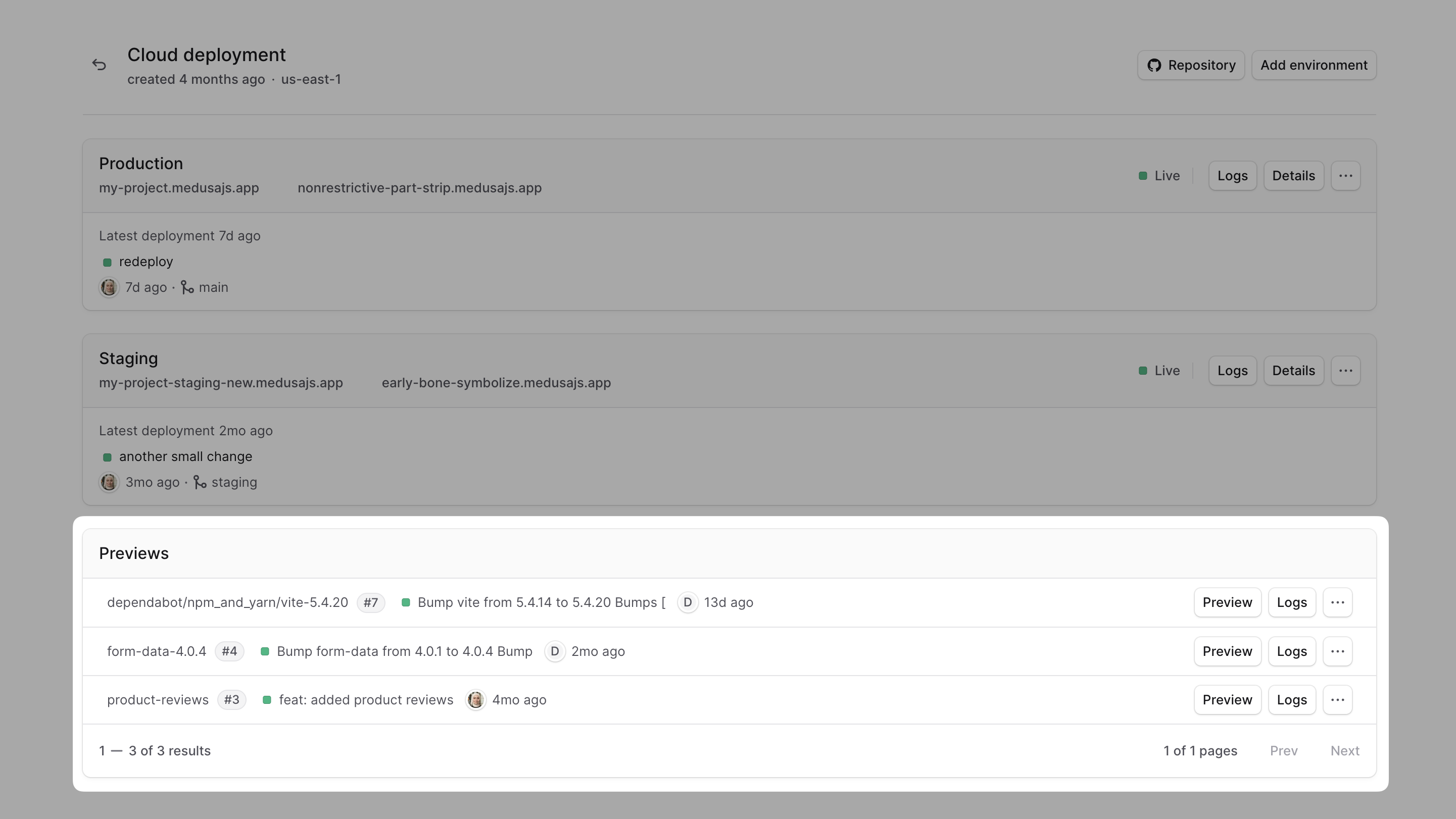
To view the preview environments for a project, go to the [project's dashboard](https://docs.medusajs.com/projects#open-project-dashboard). You'll see a "Previews" card with all the preview environments for the project.
### Create Preview Environment
To create a new preview environment, create a PR towards a branch that has a long-lived environment in Cloud, such as Production.
Cloud will automatically create a preview environment for the PR and deploy the changes to that environment. Everytime you push a new commit to the PR, Cloud will redeploy the preview environment with the latest changes.
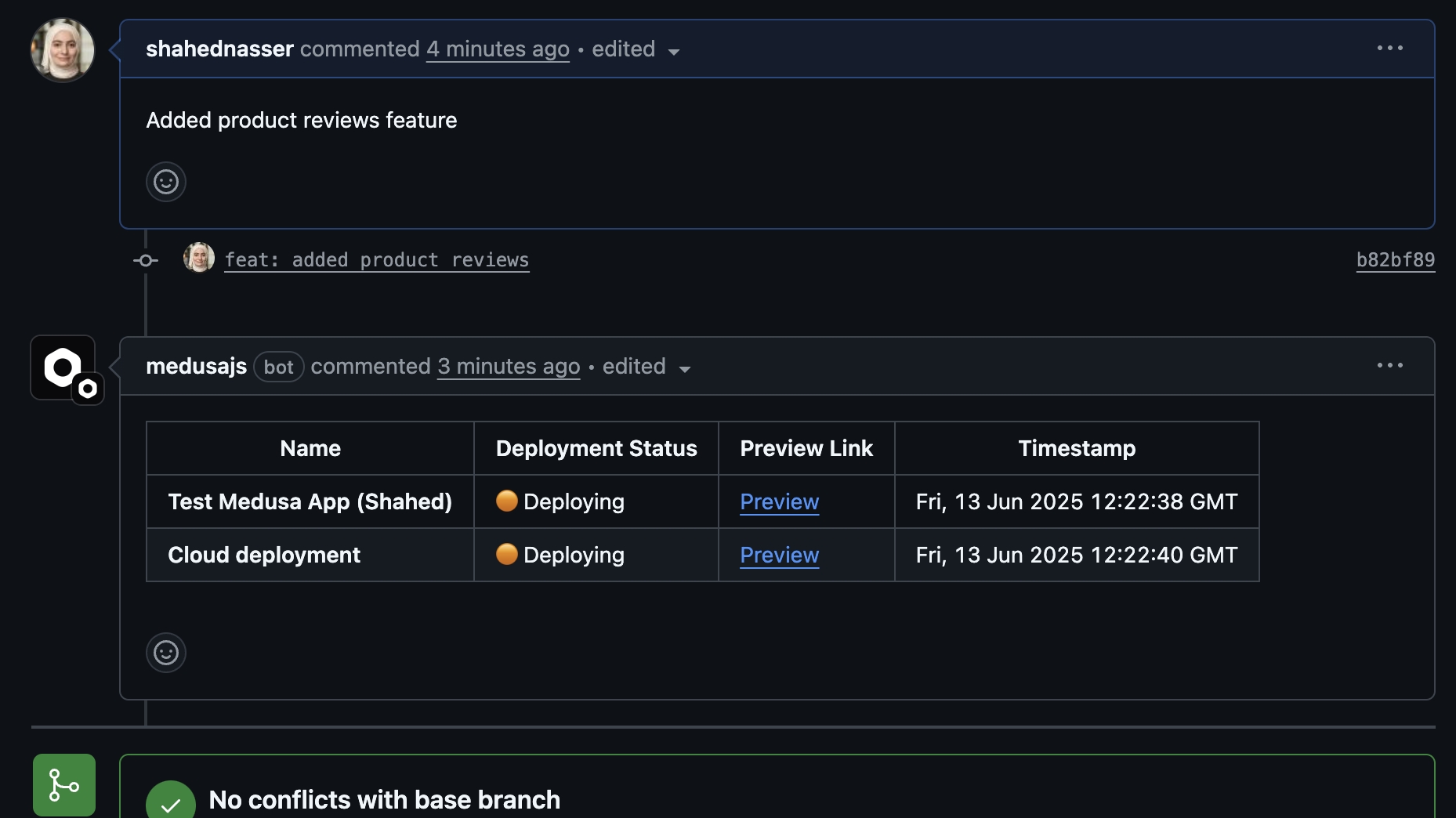
You can also view the preview deployment and its status in the comment made on your PR in GitHub.
### Access Deployed Preview Environment
Once the preview environment has finished deploying, you can access its Medusa Admin either through the comment in the PR or by clicking the "Preview" button in the [project's dashboard](https://docs.medusajs.com/projects#open-project-dashboard).
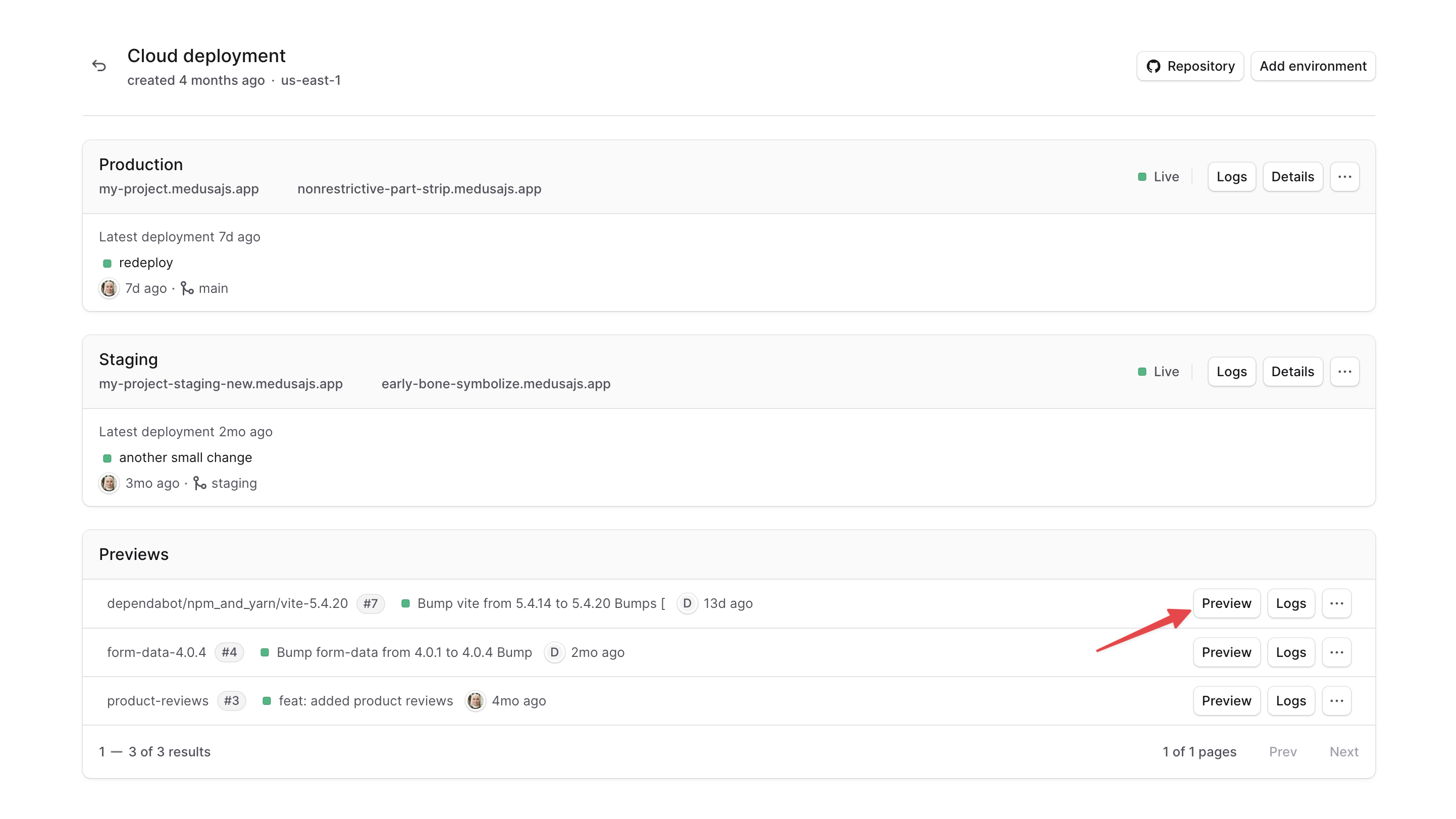
This will open the preview environment's Medusa Admin in a new tab, where you can test the changes made in the PR.
To log into the Medusa Admin of the preview environment, use the admin credentials of the Production environment. If you [configured the shared previews settings](#manage-shared-previews-settings) to use a different environment's database, you can log in with the admin credentials of that environment instead.
You can also [send requests to the preview deployment's API](https://docs.medusajs.com/deployments#send-requests-to-the-deployment).
### Open Preview Environment Dashboard
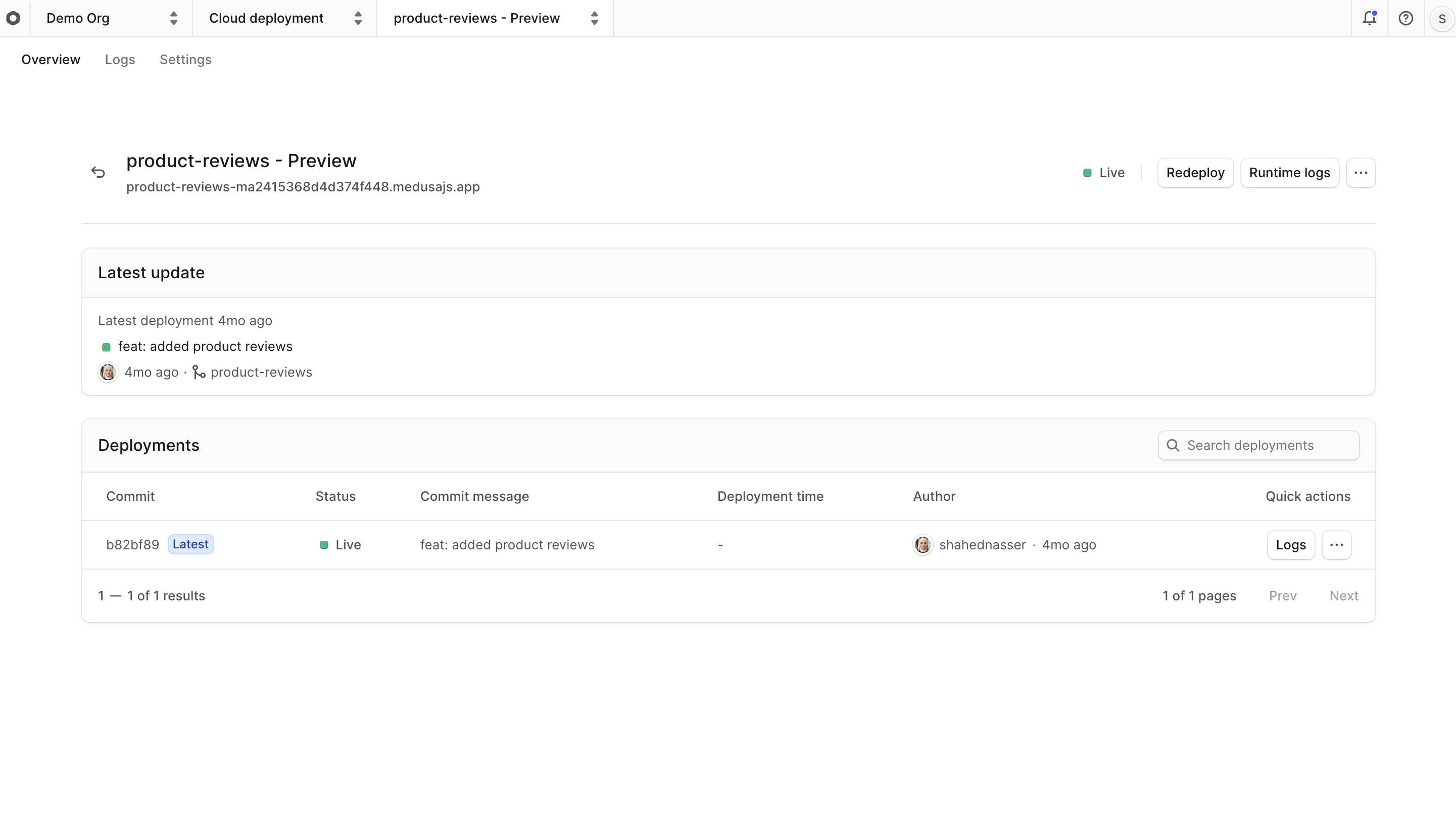
Similar to long-lived environments, you can open a preview environment's dashboard to view its details, logs, and edit its settings.
To open a preview environment's dashboard:
1. Go to its [project's dashboard](https://docs.medusajs.com/projects#open-project-dashboard).
2. In the "Previews" card, click on the preview environment you want to view.
Then, you can manage the preview environment just like any other long-lived environment, as mentioned throughout this guide. You can [manage its environment variables](#manage-environment-variables) and [import/export its database dump](#import-and-export-environments-database-dump).
### Manage Shared Previews Settings
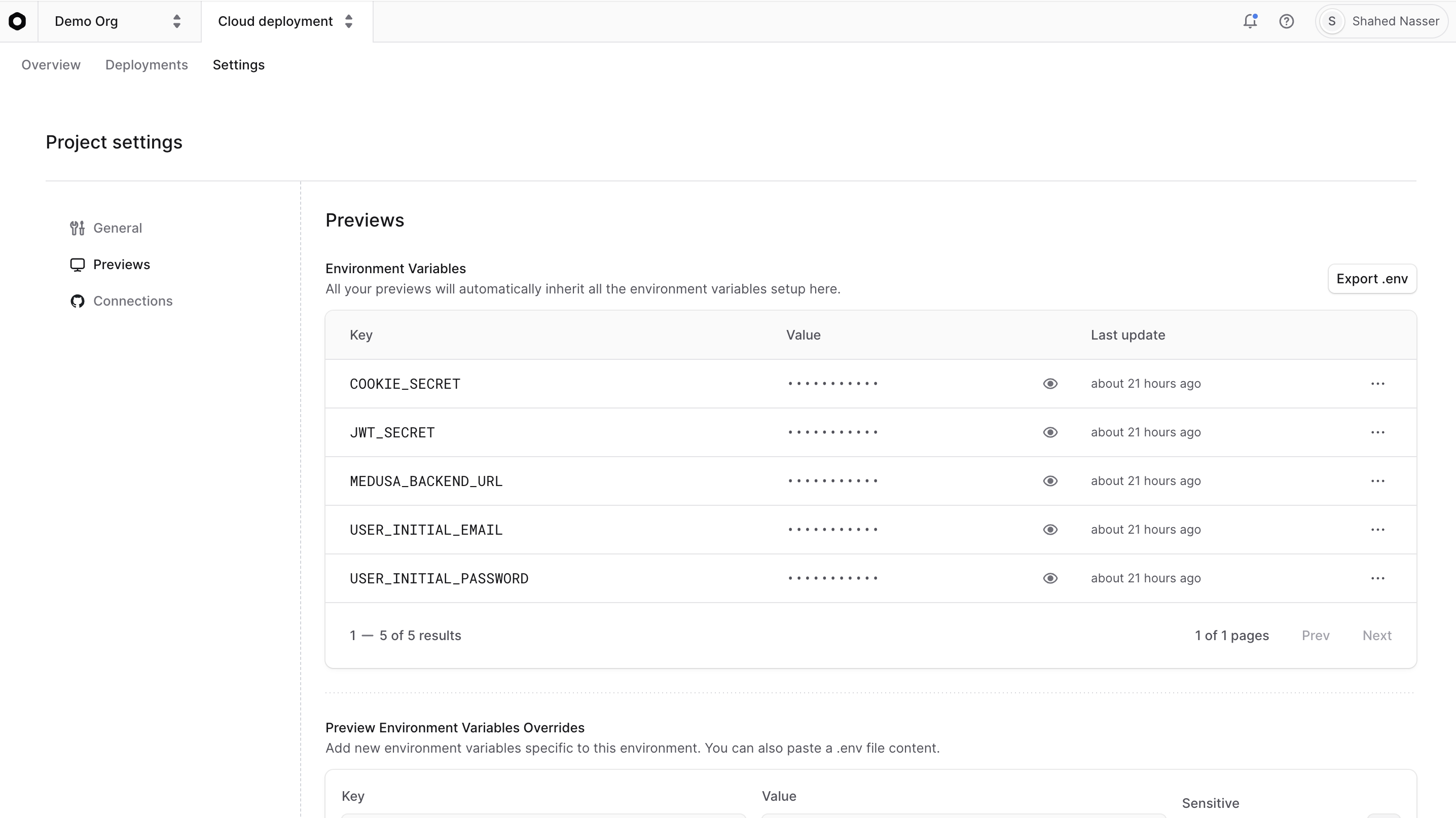
While you can manage each preview environment's settings individually, you can also manage shared settings between all preview environments in the project. By using the shared settings, you don't need to replicate the same settings for each preview environment.
For example, you can define environment variables that are common to all preview environments.
To manage the shared settings for preview environments:
1. In a [project's dashboard](https://docs.medusajs.com/projects#open-project-dashboard), click on the "Settings" tab.
2. Choose the "Previews" tab from the sidebar.
3. In the Previews settings, you can:
- Manage environment variables, as explained in the [Manage Environment Variables](#manage-environment-variables) section. All preview environments created after making changes will inherit these variables.
- Specify which database to create the preview environment's database from. By default, a new database will be created from the Production environment's database. You can change this to use a different environment's database, such as Staging.
Making changes to the shared settings will affect all preview environments created after the changes. Existing preview environments will not be affected by the changes.
### Preview Environment's Database
Each preview environment has its own resources, including its own database, separate from the production environment.
By default, the preview environment's database will be replicated from the Production environment's database. This means you can test changes in the preview environment with the same data in production, without actually affecting the production database.
You can change the environment from which the preview environment's database is replicated in the [shared Previews settings](#manage-shared-previews-settings).
#### Preview Environment Inactivity
Since Preview environments are only meant for testing, they are put to sleep after ten minutes of inactivity.
So, if you're testing scheduled jobs or events, they may not work as expected in preview environments. They will work as expected in long-lived environments, such as Staging or Production.
### Delete Preview Environment
Preview environments are automatically deleted when their PR is merged or closed. However, you can also delete them manually if needed.
To delete a preview environment, you can follow the same steps in the [Delete an Environment](#delete-an-environment) section.
***
## Delete an Environment
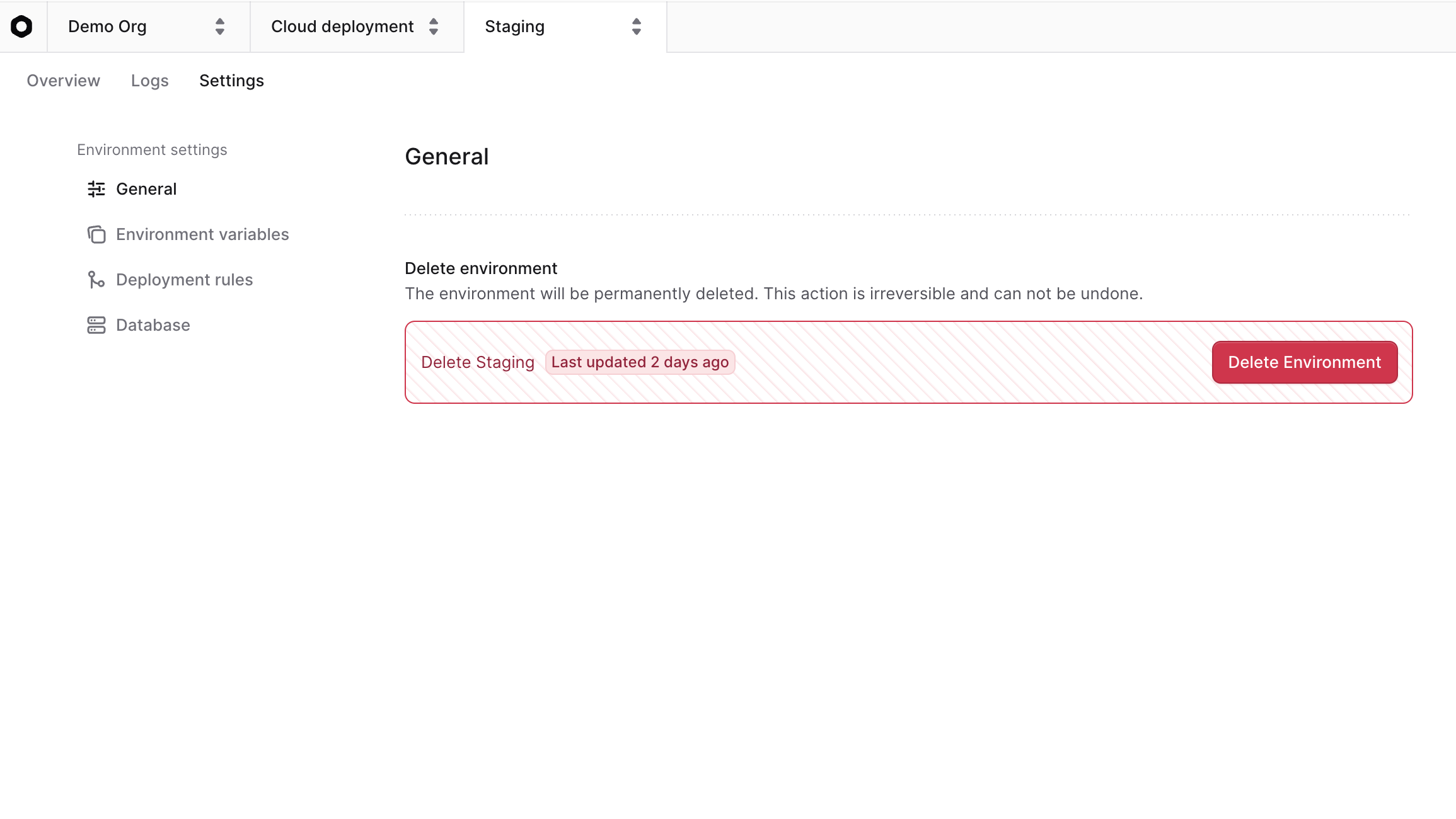
Deleting an environment will delete all its resources and settings, including its database and environment variables. This action is irreversible. You won't be able to recover any data after deletion.
You can delete any environment in your project, except for the Production environment.
To delete an environment:
1. In the environment's dashboard, click on the "Settings" tab.
2. Scroll down to the "Delete environment" section.
3. Click the "Delete Environment" button.